
Installation
Eclipse marketplace (Recommended)
LM Studio
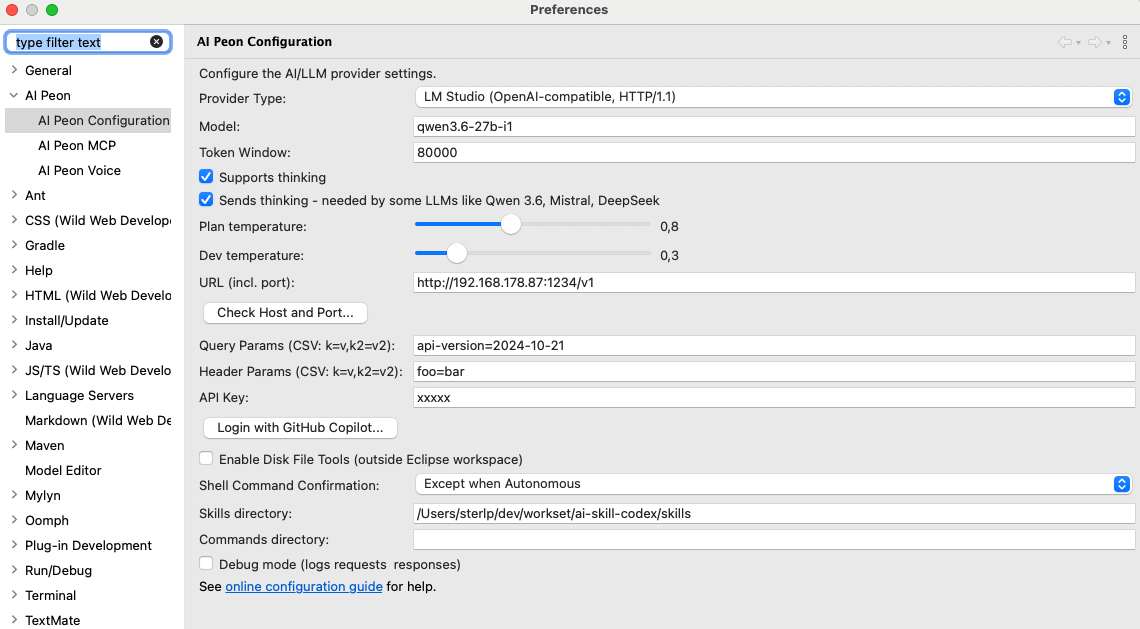
Google Gemini example
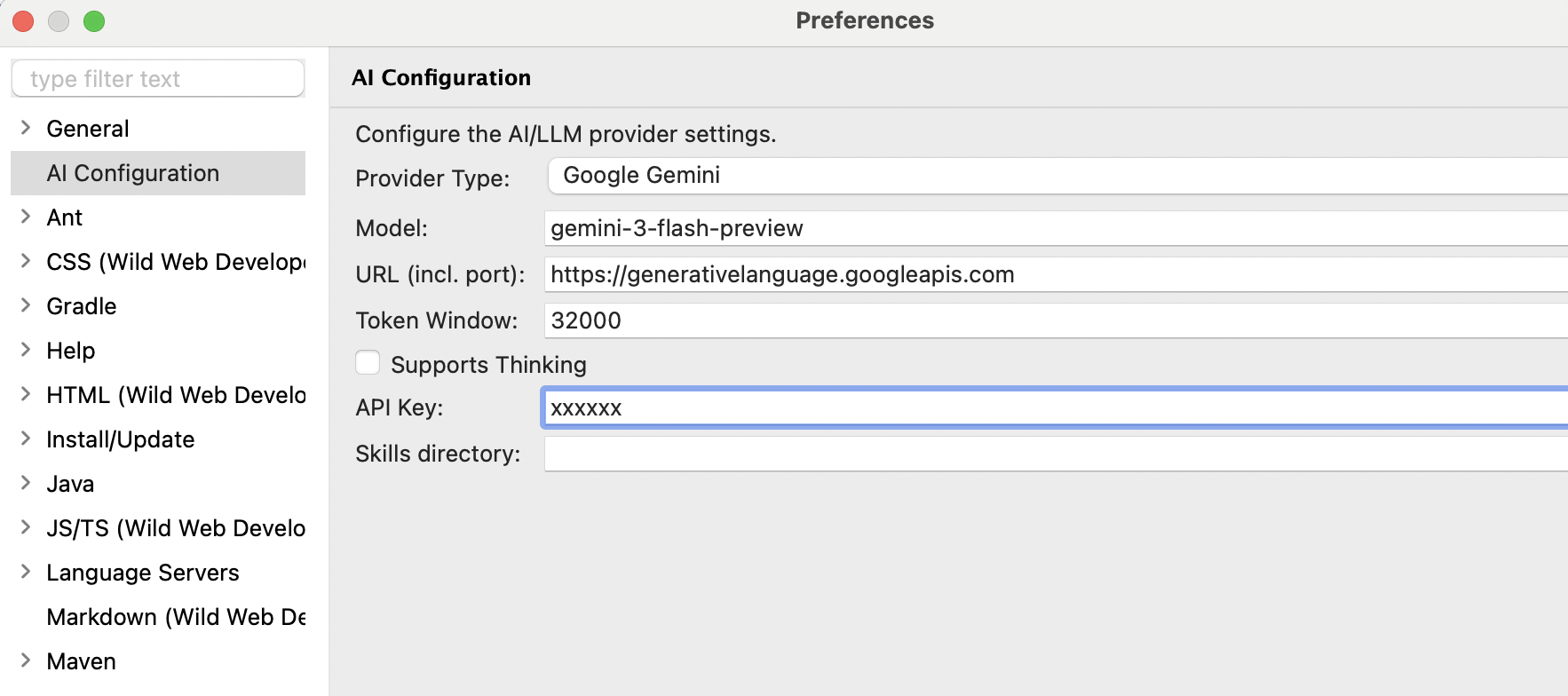
- URL: https://generativelanguage.googleapis.com
- Keys: https://aistudio.google.com/api-keys
- Models: https://ai.google.dev/gemini-api/docs/models
Update Site
Install directly from Eclipse:
- Go to Help > Install New Software
- Click Add... to add a new repository
- Enter the update site URL:
https://github.com/sterlp/eclipse-peon-ai - Select "Eclipse Peon AI" from the list
- Click Next and follow the installation wizard
- Restart Eclipse when prompted

Requirements
- Eclipse 2025-12 or newer
- Java 21
- An LLM provider (Ollama recommended for local use)
After Installation
- Go to Window > Show View > Other...
- Search for "AI Peon" (or expand the AI category)
- The chat view will appear in your workbench