
Eclipse Peon AI
Eclipse Peon AI is an Eclipse RCP plugin that integrates a lightweight, context-aware LLM assistant directly into your Eclipse workbench.
Features
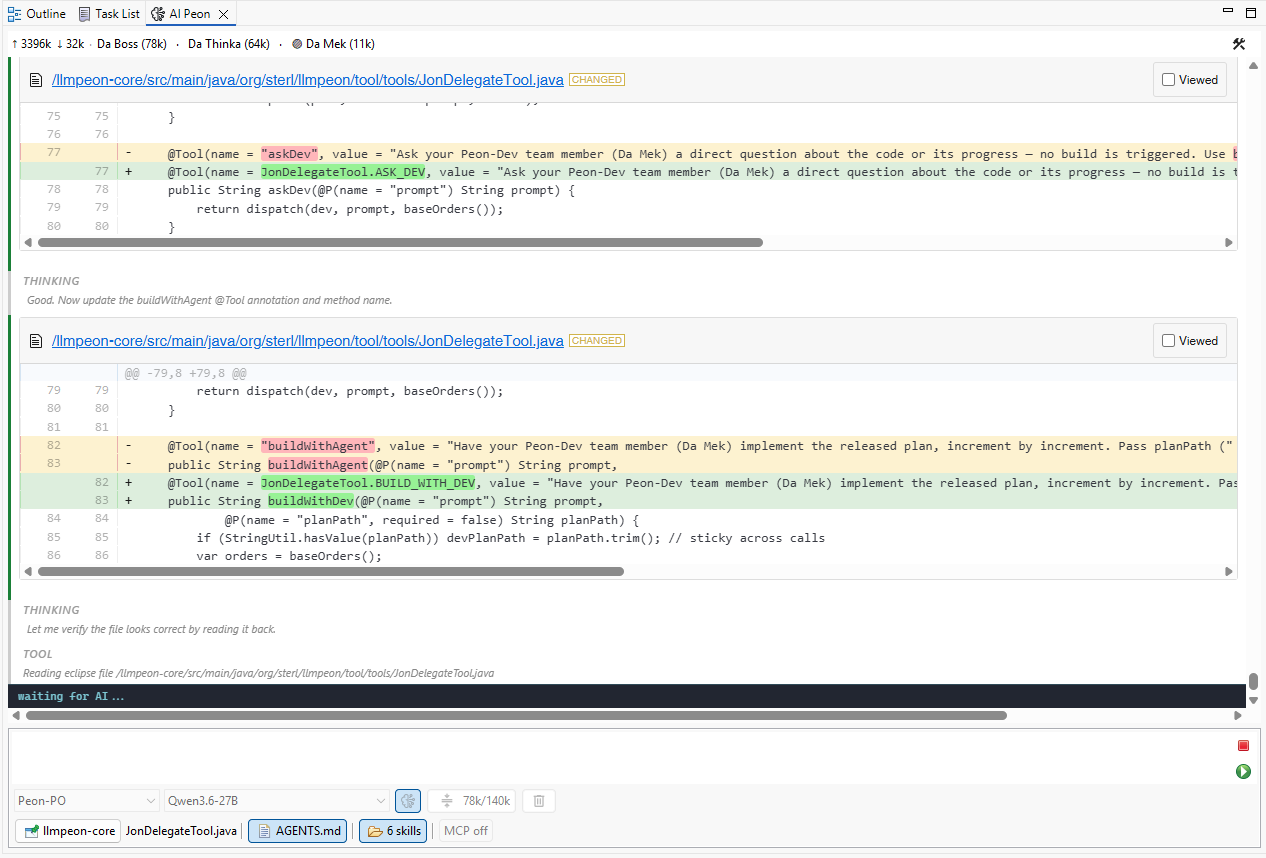
- Chat Interface: Interactive AI chat with syntax-highlighted code blocks and markdown rendering
- Voice Chat: Talk to your AI peon and tell him what todo - no more typing
- File Operations: Read, write, search, and modify files directly from the chat
- Context Awareness: Understands your current workspace and selected files
- Text Editing: Full undo/redo support (Ctrl+Z / Ctrl+Shift+Z) with context menu for copy, paste, cut operations
- Local LLM Support: Works with Ollama for privacy-focused local inference
- Multi-Provider: Supports various LLM providers through LangChain4j
Installation
Eclipse marketplace
Update Site
Install directly from Eclipse:
- Go to Help > Install New Software
- Add the update site:
https://github.com/sterlp/eclipse-peon-ai - Select "Eclipse Peon AI" and follow the installation wizard
- Restart Eclipse
Requirements
Configuration
After installation, configure the plugin via Window > Preferences > AI Peon > Peon Configuration:
- Provider: Select your LLM provider (Ollama, OpenAI, Anthropic, etc.)
- Model: Enter the model name (e.g.,
qwen3-coder,qwen3.6-27bfor Ollama) - Base URL: Set the API endpoint (e.g.,
http://localhost:11434for Ollama) - API Key: Enter your API key if required
Usage
Opening the Chat View
- Go to Window > Show View > Other...
- Search for "AI Peon" or "AI"
- The chat view will appear in your workbench
Available Tools
The AI assistant has access to several tools:
- Read / Write Files: Read and modify files in your Eclipse workspace
- Search & Grep: Search for files and text across your project
- Code Navigation: Find Java types, references and implementations
- Build Project: Trigger Eclipse builds and report errors/warnings
- Run Tests: Execute JUnit tests and report failures with stack traces
- Java Debugger: Drive a live JDT debug session — inspect, step, evaluate, and manage breakpoints (breakpoints work even before a session is started)
- Plan: Save and track an implementation plan (
peon-plan/overview.md) - Skills & Memory: Load reusable skills and persist notes across sessions
- MCP: Connect to MCP servers for extended tooling (e.g., web search, codebase indexing)
Example Workflows
- Explain Code: Select a file and ask "What does this code do?"
- Generate Tests: Ask "Write unit tests for the selected class"
- Refactor: Select code and ask "How can I improve this?"
- Debug: Paste error messages and ask "What's causing this?"
"CTRL+Enter"
You can also send messages with CTRL+Enter or CMD+Enter - if the AI is working, the message is added to the history - best effort to add message during a tool loop. When such a queued message is picked up, the chat discloses when it was queued — e.g. [Queued Message] (14:32): … — so you can see how long it waited.
"Send while working"
While the AI is working, a normal message is queued. Prefix it with ! to skip the queue instead: the rest of the message goes straight into the running agent's context (visible in the chat history) and the current turn can react to it right away — no extra request. A /command or /skill after the ! is resolved first. When the AI is idle the ! has no special meaning and the text is sent as typed.
- Drag-and-drop files from Eclipse Explorer or your file system directly into the chat input to attach them as
@pathreferences.
Architecture
- Main Plugin (
org.sterl.llmpeon): Eclipse e4 plugin with UI components - Core (
org.sterl.llmpeon.core): Standalone module for LLM integration - Target Platform (
releng/llmpeon-target): Eclipse 2025-12 based target platform - Features (
releng/llmpeon-feature): Eclipse feature definition
Technology Stack
- Eclipse RCP / e4
- Java 21
- Maven + Tycho
- LangChain4j for LLM integration
- Markdown-it for markdown rendering
- Highlight.js for syntax highlighting
- Diff2Html for diff visualization
Building from Source
# Clone the repository
git clone https://github.com/sterlp/eclipse-peon-ai.git
cd eclipse-peon-ai

# Build the project
mvn clean verify

# Run in development mode
# Use Eclipse Application launch with -clean -clearPersistedStateKnown Issues
- Incremental Build Bug: Eclipse 4.38 has a PDE/JDT bug where incremental builds produce broken
.classfiles. Use Project > Clean before re-launching.